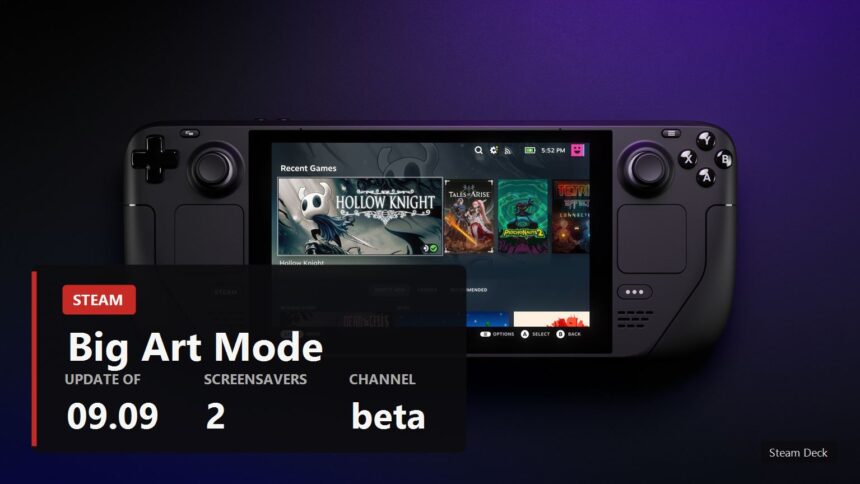
Valve has updated the Steam client beta and given Big Picture mode a new look for the home screen, called Big Art Mode. Instead of the usual grid of covers there is a large shelf along the bottom, with the selected game's artwork filling the background. The same update brings screensavers and a personal calendar.
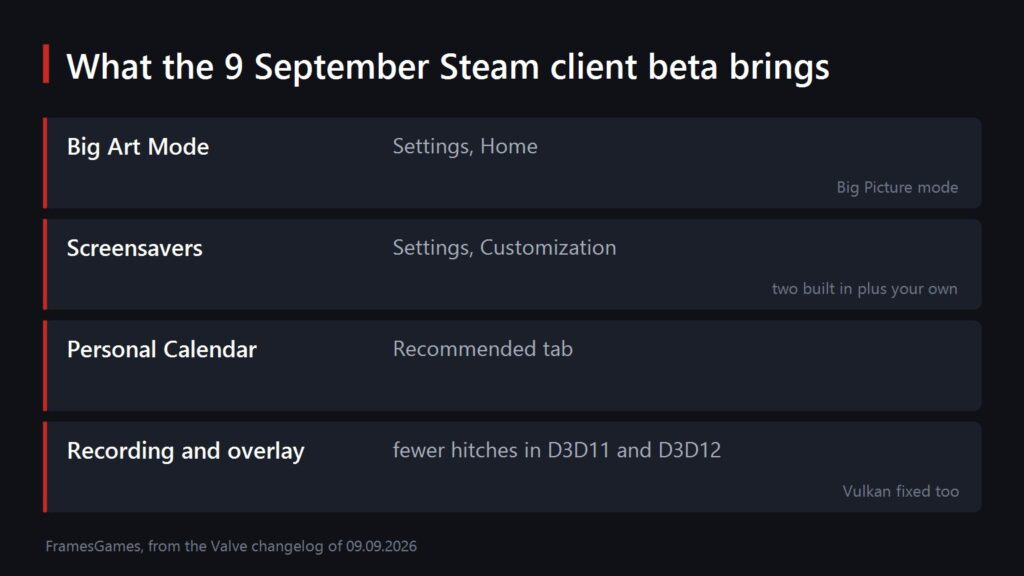
What exactly was added
All of it is in the beta of 9 September, and all of it is optional, meaning you switch it on yourself.
- Big Art Mode. Enabled in Settings under Home. It works in Big Picture mode.
- Screensavers. Two of them: a slideshow of artwork from recently played games and your recent in-game screenshots, and a retro inspired bouncing logo. Look in Settings under Customization.
- Custom screensavers work too. Drop them into config, uioverrides, screensavers inside your Steam install. Valve suggests using the bouncing logo in steamui as a starting point.
- A personal calendar on the Recommended tab of the home screen.
The third party DeckyLoader did something similar for people who tinkered with their Steam Deck. Now it is built in, and it arrived exactly as the Steam Machine started reaching buyers.
What the headlines left out
Everyone is writing about the new screen, while the useful part sits further down the same changelog, in the sections on game recording and the overlay.
- Game recording now costs less performance in some DirectX 12 games on Windows.
- Frame rate hitches when taking a screenshot are gone in DirectX 11 and DirectX 12 games on Windows.
- The overlay works in Vulkan games that create multiple windows. Screenshots and recording did not function there at all.
- The client itself starts faster.
That is the real news for anyone who plays on a PC. The stutter when you hit the screenshot button is familiar to everybody who has ever tried to capture something in a busy scene.
How to try it
All of this is in the client beta rather than the regular release. You switch over in Steam settings, in the section about taking part in beta participation, after which the client restarts and updates itself.
The word beta is not a formality here. In the same channel a day later Valve was already fixing regressions: on Linux the client crashed when interacting with the compatibility tool selection, and in Steam Input the action set layer binds broke while editing a configuration. Normal for a beta, just keep it in mind.
If you play on a modest machine, have a look at our breakdown of what actually runs on a GTX 1650 as well: part of this update is precisely about the overlay not eating your frames.
Sources
The contents of the update, the menu names, the folder for custom screensavers and the recording and overlay fixes: the Steam client beta changelog for 9 September 2026. The Linux and Steam Input regressions come from the 10 September entry in the same place.
Image: the official Steam Deck photo from the device page on Steam.