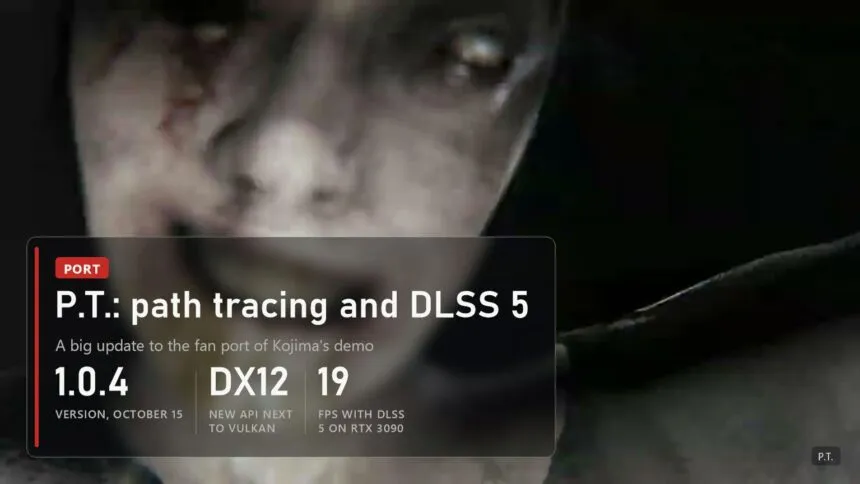
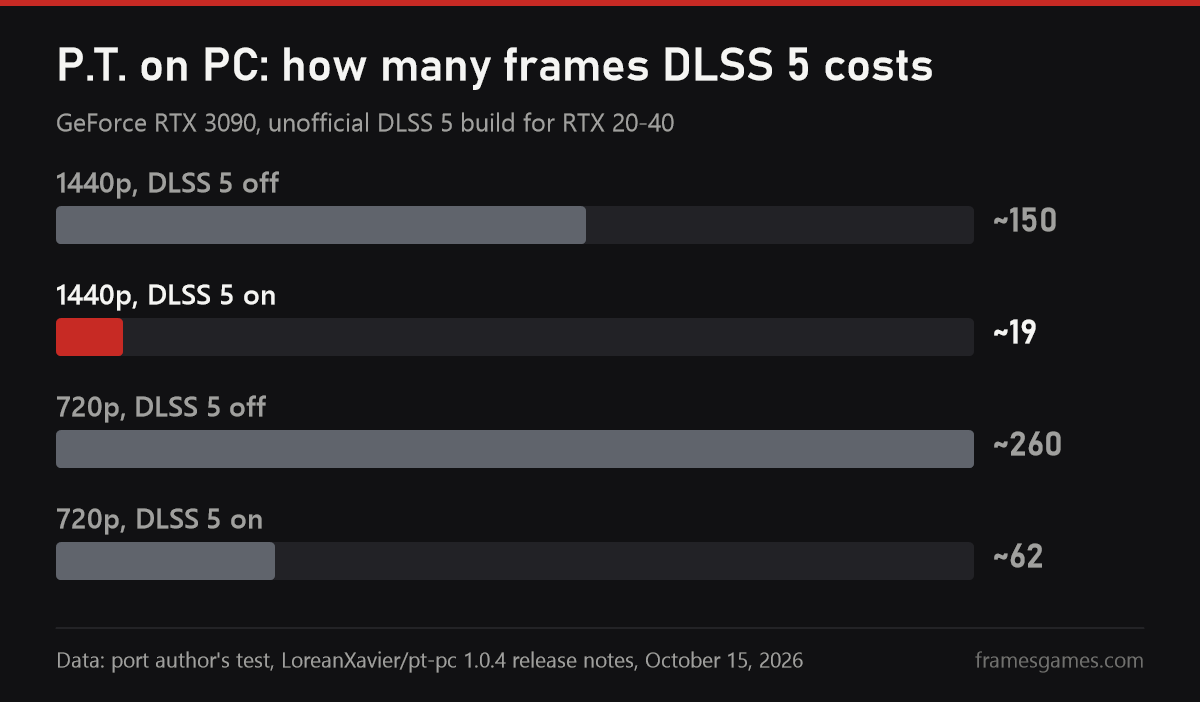
The fan port of P.T., Hideo Kojima's cancelled Silent Hills teaser, just got its biggest update since launch. Version 1.0.4, released on October 15, adds DirectX 12 next to Vulkan, a full path tracing mode, DLSS Ray Reconstruction, DLSS, XeSS and FSR 3 frame generation, and a way to switch on DLSS 5 straight from the game's menu. Hotfix 1.0.5 followed on October 16: 1.0.4 crashed on every start on Linux and macOS and on some Intel GPUs in DirectX 12. The port author's own numbers are sobering: on an RTX 3090 at 1440p, DLSS 5 takes the game from 150 down to 19 frames per second.
Path tracing and Ray Reconstruction
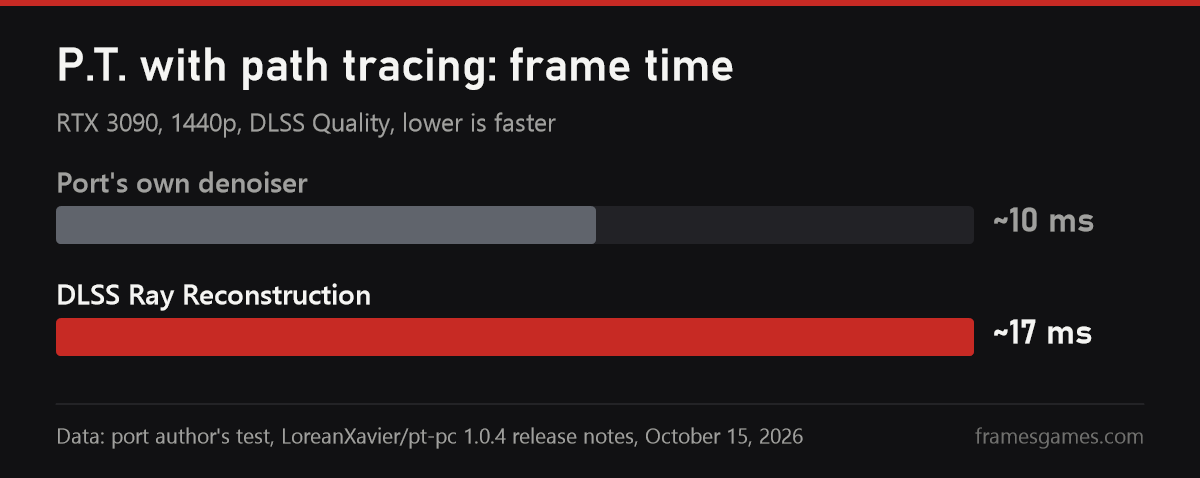
The new top ray quality is called Path traced: all the light on screen, from lamps and the flashlight to several bounces, is traced, with no baked lighting left. The Ultra preset now uses path tracing too on GPUs that can trace rays. On NVIDIA RTX cards with DLSS, Ray Reconstruction handles the denoising, so shadows and reflections come out sharper, but it costs more: by the author's test on an RTX 3090 at 1440p with DLSS Quality, a frame takes about 17 ms against 10 ms with the port's own denoiser. Ray Reconstruction has its own toggle in the settings.
- DirectX 12. On Windows the first start asks which API to use. Ray tracing, HDR, VR and all the upscalers work on both, and Vulkan remains the only option on Linux and macOS.
- Frame generation. DLSS Frame Generation through Streamline, plus XeSS and FSR 3. Film grain and the UI are now laid over finished frames instead of being smeared.
- HDR is real now: lamps and the flashlight go past paper white, up to the display's peak brightness.
- Smaller bits. In-game updates, an accessibility page with sound captions and gyro aiming, a museum of found content and a Game+ mode.
DLSS 5 from the menu, but not for playing on an RTX 30
The upscaling settings now have a DLSS 5 row. On an RTX 20, 30 or 40 it offers Unlock DLSS 5, on an RTX 50 Download DLSS 5. Both buttons download the third-party DLSS5-Autopilot tool from GitHub, which we covered in our DLSS 5 guide: older cards get a modified runtime, an RTX 50 gets NVIDIA's own. It only works in DirectX 12 with DLSS as the upscaler, and offers Default, Natural and Cinematic modes plus a strength slider. The port author is upfront that these are community projects NVIDIA doesn't support.
The key part is in his own measurements. On an RTX 3090 at 1440p, DLSS 5 costs about 45 ms a frame: around 150 fps without it and about 19 with it. At 720p the drop is smaller, from 260 to 62. "It is something to look at, not a way to play on these cards," the author writes. He only tested the RTX 3090, there are no numbers for RTX 40 or 50, and 1.0.5 had to fix a crash when turning DLSS 5 on with an RTX 50. The same menu can also unlock DLSS Frame Generation on RTX 20 and 30 cards through the third-party dlssg_for_sm86 package: on the RTX 3090 it works in DirectX 12 but not in Vulkan.
How to update
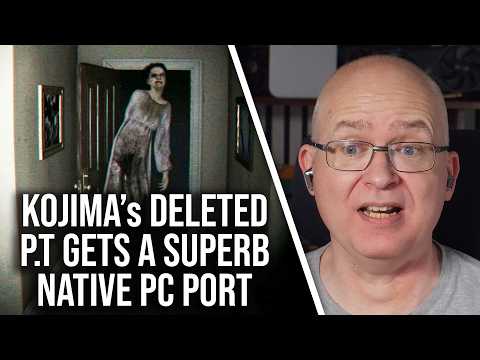 The video loads from YouTube (Google) when you press play. Privacy policy
Just run the setup over your existing install: your game archives, settings, saves and mods stay, and from 1.0.4 the port can also update itself from the PC settings page in game. Go straight to 1.0.5, which fixes starting on Linux and macOS and the DirectX 12 choice on GPUs that can't run it. As always, no game files are included, you need your own P.T. package from a PS4, and the only place to download the port is the LoreanXavier/pt-pc repository. We explained how the port works in our first story about it. In the video above, Digital Foundry looks at the port's ray tracing before this update, so the Path traced mode isn't in it yet.

Sources
Release notes for versions 1.0.4 (October 15, 2026) and 1.0.5 (October 16, 2026) in the LoreanXavier/pt-pc repository on GitHub: changelog, RTX 3090 measurements, DLSS 5 and frame generation requirements. DSOGaming, October 15, 2026. DF Clips (Digital Foundry) video, October 15, 2026.
Images: a frame from the original 2014 P.T. teaser, framesgames.com charts based on the port author's data.