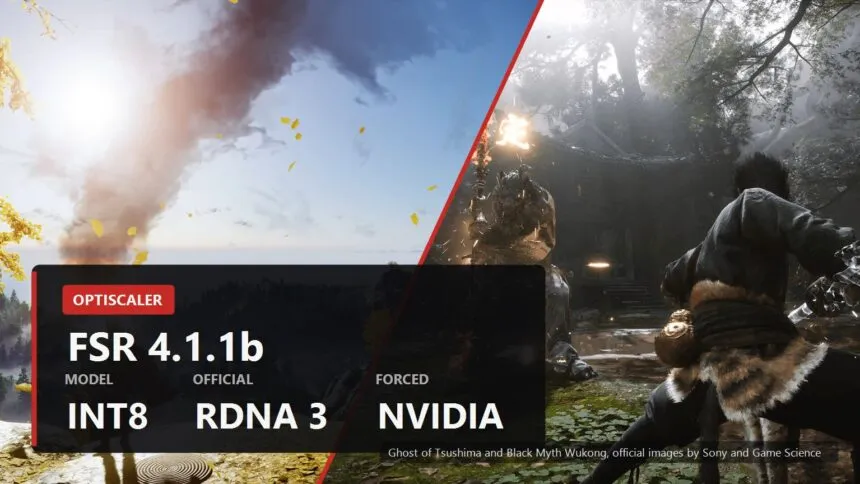
The claim going around, written almost everywhere as FSR 4.1.1b, is short and very appealing: it now runs on old Radeons and even on GeForce cards, and OptiScaler is doing the job AMD would not. Most of that is true. The part everyone leaves out is that on an unsupported card the thing can quietly switch itself off and keep running, and you will not notice.
Here is what actually changed, which cards genuinely get it, the exact settings, and the one check that tells you whether you got FSR 4 or a polite imitation of it.
What actually changed
Three separate things happened, and they get blended into one headline.
- AMD shipped FSR 4.1.1 on 24 June 2026. It arrived with FidelityFX SDK 2.3 and it added an INT8 model alongside the FP8 one. Officially it needs a Radeon RX 7000 or RX 9000.
- OptiScaler 0.9.4 picked it up on 18 July 2026. On RDNA 3 desktop cards the INT8 model now turns itself on. For everything else the release added a switch to force it, and the notes name the unsupported hardware out loud: RDNA 3 laptops and APUs, NVIDIA, Intel.
- The nightly builds went further. They replaced that switch with a finer one and added a way for RX 6000 owners to run 4.1.1 without rolling their driver back. Nightlies now live in a separate repository and are built daily.
The important detail sits in AMD's half of that. Along with INT8, version 4.1.1 added internal checks that verify which GPU is asking. Only RDNA 4 on FP8 and RDNA 3 desktop cards on INT8 pass those checks. Everything else gets an answer, just not the one it wanted.
Why INT8 is the whole story here
FSR 4 reconstructs the frame with a neural model, and a model has to run in some number format. FP8 is the fast one on RDNA 4, and it exists in hardware on almost nothing else. INT8 is the boring, ancient, universally supported one. That single difference is why the reach of FSR 4 changed overnight without AMD changing its mind about anything.
Which is also why the honest version of this story is not "FSR 4 now works on GeForce". It is "FSR 4 now has a build that could run on GeForce, if that particular card has INT8 and if the checks let it through". Two ifs, and OptiScaler's own documentation warns about both.

How to switch it on, by card
Everything below is set in OptiScaler.ini, in the folder with the game executable. If you have not installed OptiScaler yet, the install and removal steps are in our full guide to it.
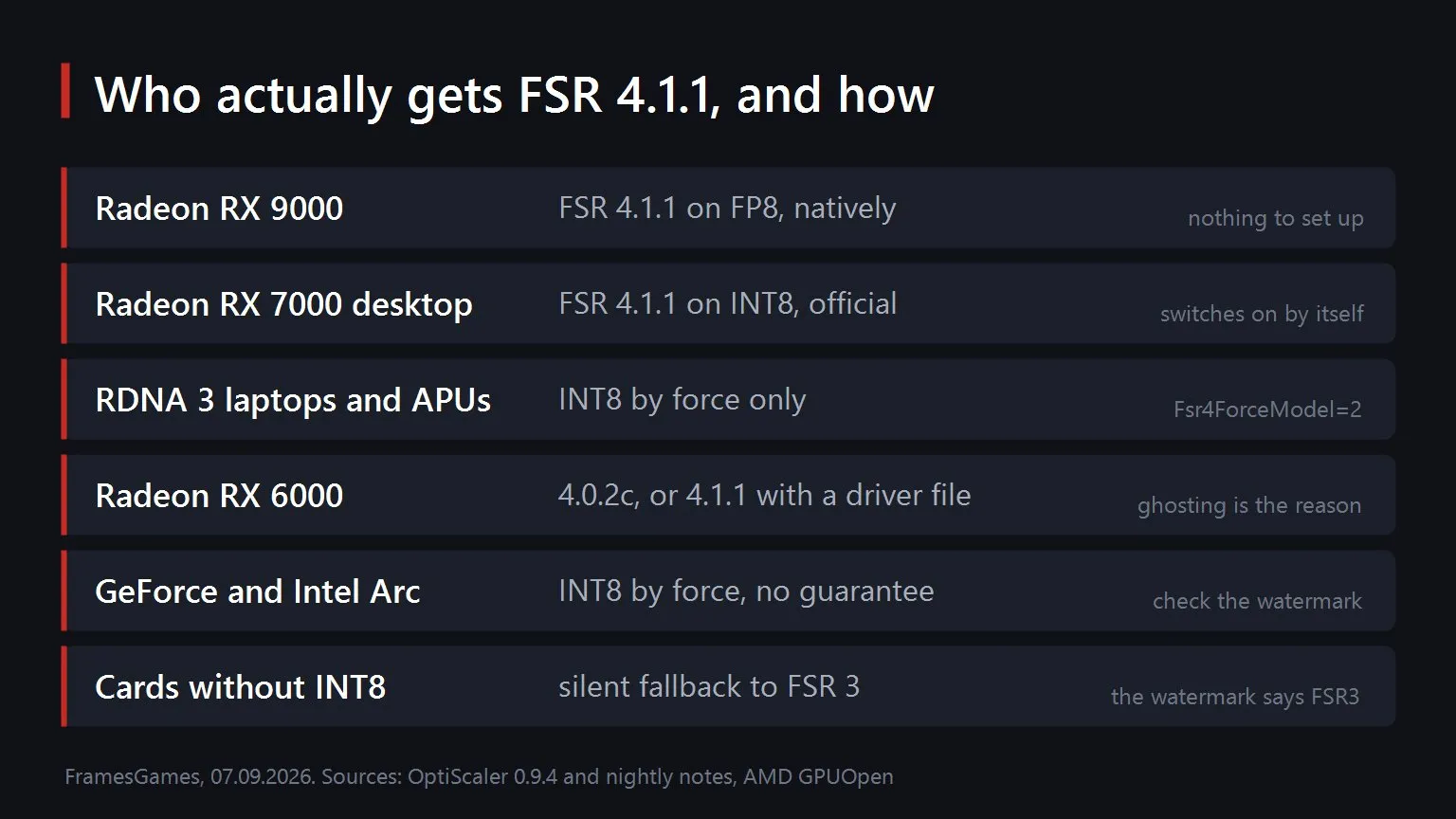
- Radeon RX 9000. Nothing to do. FP8, native, this is the reference case.
- Radeon RX 7000, desktop. Also nothing to do. From version 0.9.4 OptiScaler enables the INT8 model on these cards by itself.
- RDNA 3 in a laptop or an APU, GeForce, Intel Arc. Set
Fsr4ForceModel=2. The values are 0 for no override, 1 for FP8 and 2 for INT8. In the 0.9.4 release the same job is done byFsr4ForceEnableInt8=true. - Radeon RX 6000 on Windows. The recommendation from the developers is to stay on the older FSR 4.0.2c build, because a driver compiler regression produces ghosting on the newer one. If you want 4.1.1 anyway, the nightly can load a separate copy of
amdxc64.dllplaced in the OptiScaler subfolder, withLoadCustomAmdxc64OnRdna2=true. That is how you get 4.1.1 without downgrading the whole driver. - On Linux. FSR 4.1.1 needs a Proton build recent enough to carry the VKD3D commits for FidelityFX SDK 2.3. Frame generation on top of it wants Mesa 25.2 or newer and the Wine prefix set to Windows 11.
One thing not to touch. Do not set Fsr4Update=true on a card that is not officially supported. On those cards it does not enable anything, it hands you the FSR 3 fallback. The developers put that warning in the release notes with an emoji on both sides of it, which tells you how often people were getting it wrong.
How to tell whether it is really running
This is the part that makes the difference between a working setup and a placebo, and it takes about ten seconds.
Set Fsr4EnableWatermark=true in OptiScaler.ini, or turn the watermark on in the overlay under the upscaler selection. A label then appears in the corner of the frame and it says one of three things.
| What the watermark says | What you are actually running |
|---|---|
| FSR4 | FSR 4 on the FP8 model. This is the RDNA 4 case. |
| FSR4-i8 | FSR 4 on the INT8 model. This is what you are aiming for on everything else. |
| FSR3 | The checks refused you and the driver fell back. Whatever you set did not take. |
OptiScaler does try to detect the fallback and tell you, but its own notes say plainly that the watermark remains the most accurate confirmation. Believe the watermark, not the setting you typed.
And there is a second warning worth quoting, because it is the one people skip. Forcing INT8 does not give a card a capability it never had. If the chip has no INT8 path, the switch changes nothing. The line in the configuration file itself is blunter than anything I could write: do not fool yourself when forcing a model on a GPU that does not support it, the driver has an FSR 3 fallback.
What it costs
INT8 is not a free ride to the same result. It is a cheaper seat in the same theatre.
- Against FP8 on a card that has both. On an RX 9070 XT the INT8 build runs slightly slower than the official FP8 one. Small enough that it is not the reason to choose anything.
- Against FSR 3.1 on an older Radeon. This is the real trade. On an RX 7900 XTX, official measurements put FSR 4.1 at 11 percent behind FSR 3.1 in Quality and 14.5 in Performance. On an RX 7800 XT or RX 7600 it is 7 and 9 percent. You lose frames and you gain an image that does not smear when the camera moves.
- The way out of that trade. Do not switch back, step down one quality level. FSR 4.1 in Performance on an RX 7900 XTX still outruns FSR 3.1 in Quality and still looks better.
About that letter: what 4.1.1b actually is
You will see the version written as 4.1.1b. Worth knowing where that letter comes from, because it decides what you should search for.
AMD's own version history for FSR upscaling has no letters in it. The release is 4.1.1, dated 24 June 2026. The letters belong to OptiScaler, which bundles its own repacked copies of the library and has been numbering them that way for a while: the RX 6000 recommendation in the current release is a build called 4.0.2c, and before that there was a 4.0.2b.
So the letter is a bundle revision, not a new version of the technology. If you are looking for what changed, look for 4.1.1 and for the OptiScaler release notes. Neither AMD's manual nor OptiScaler's own compatibility page lists a 4.1.1b as a distinct version.
Two things that have not changed
- Not in online games. Anti cheat sees a library being injected and answers with a ban. This rule has no exceptions and the developers put it in the first line of the project description.
- Only three sources. GitHub, Discord and NexusMods. The project has no website. Anything else a search turns up, however official the download button looks, is not theirs.
We should correct ourselves on one line, too. Our OptiScaler guide says FSR 4 needs an AMD card on the output side. With the INT8 model that is no longer strictly true, and we will update it. What replaces it is not simpler, it is just more honest: FSR 4 needs a card with INT8 and a run that survives AMD's checks, and the only way to know you have both is the watermark.
AMD has promised FSR 4.1 for the RX 6000 series in early 2027. Until then this is what there is, and it works better than it has any right to. If you want the wider picture of which upscaler your card can run at all, we laid it out in the piece on DLSS 5 and weak PCs.
Sources
The FSR upscaling 4.1.1 release date of 24 June 2026 and the requirement of a Radeon RX 7000 discrete GPU or RX 9000 and later come from AMD's FSR SDK manual on GPUOpen, as does the absence of any letter suffixed version in AMD's version history. The addition of an INT8 model in FidelityFX SDK 2.3 with official support limited to RDNA 3 desktop cards, the internal GPU validation checks added in 4.1.1, the automatic enabling of INT8 on RDNA 3 desktop cards, the Fsr4ForceEnableInt8 option and its list of unsupported hardware, the warning against setting Fsr4Update on unsupported cards, the recommendation that RDNA 2 Windows users stay on FSR 4.0.2c because of a driver compiler regression causing ghosting, the watermark readings FSR4, FSR4-i8 and FSR3, the Fsr4EnableWatermark option and the Proton and Mesa requirements on Linux all come from the OptiScaler 0.9.4 release notes on GitHub, published 18 July 2026. The Fsr4ForceModel option with values 0, 1 and 2, the loading of a custom amdxc64.dll with LoadCustomAmdxc64OnRdna2, and the move of nightly builds to a separate repository come from the OptiScaler nightly release notes. The line about not fooling yourself when forcing a model is quoted from the comments in the project's own OptiScaler.ini. The comparison of INT8 against FP8 on an RX 9070 XT and against FSR 3.1 on an RX 7900 XTX comes from Tom's Hardware. The percentage costs of FSR 4.1 against FSR 3.1 on RDNA 3 cards were measured by ComputerBase across nine games and reported by TechPowerUp on 26 June 2026. The promise of FSR 4.1 for RDNA 2 in early 2027 comes from AMD. The reading of the letter suffix as an OptiScaler bundle revision is ours.