Updated on October 31, 2026: HayatoG v1.0 is the stable build, beta-rc1 adds ultrawide and fixes the white screen after absorbing a power.
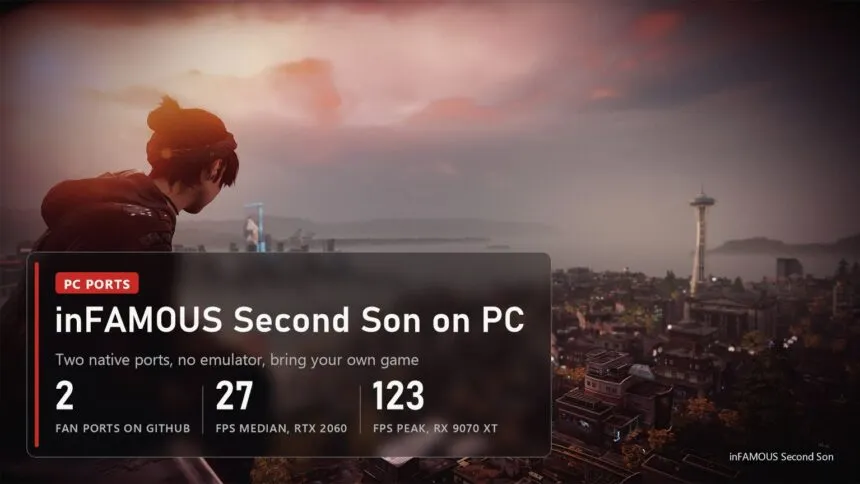
Sony never released inFAMOUS Second Son on PC, but since mid-October you can play it there anyway. Two fan projects on GitHub run the PS4 game natively on Windows: HayatoG's iss_pc, which also has a Linux build, and Castlesea's Windows-only port. Neither is an emulator in the usual sense, and neither ships a single game file. You bring your own copy of the game, they bring the rest.
Read next:
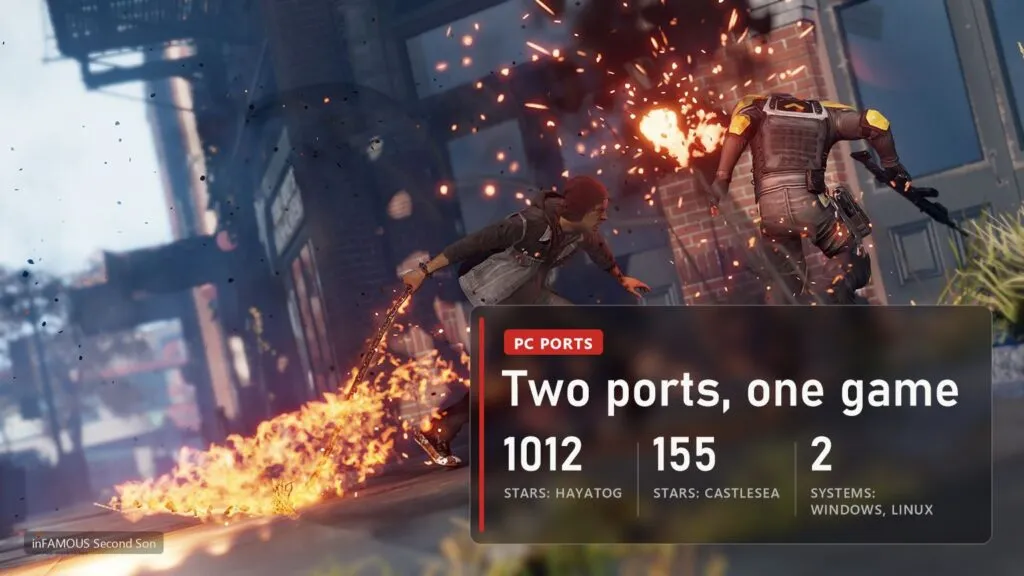
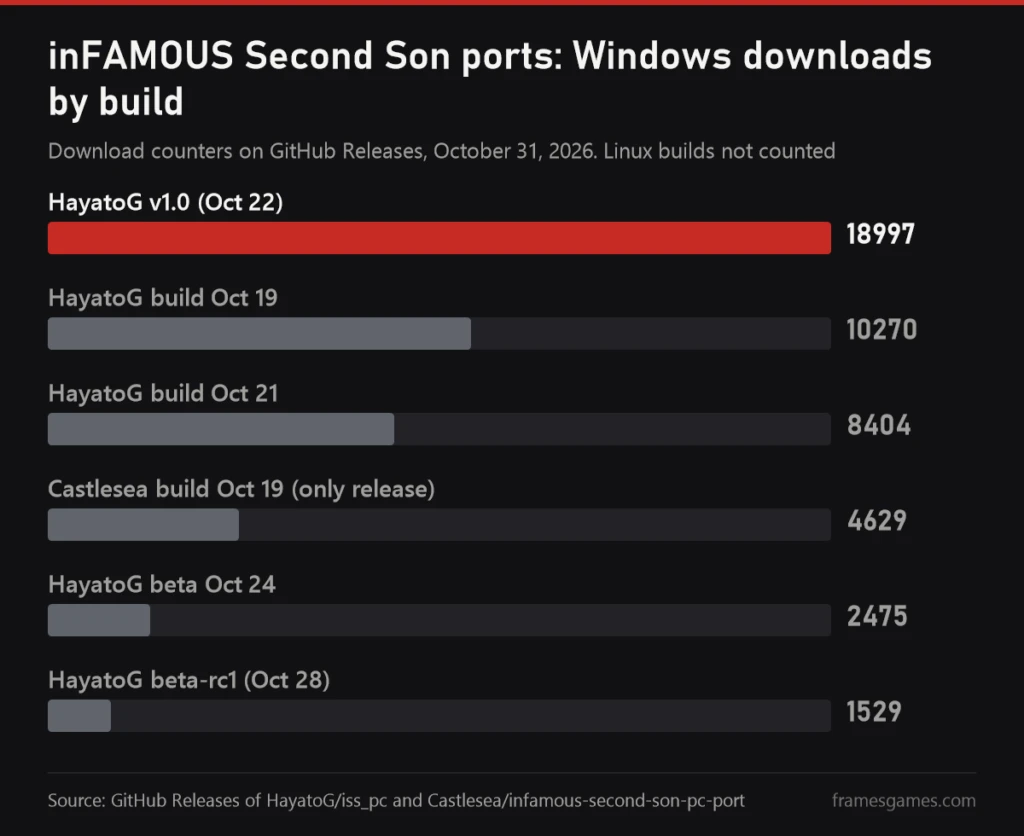
The numbers so far: HayatoG's repository passed 1,000 stars in under three weeks, and its v1.0 build for Windows alone has been downloaded about 19,000 times. Below is which port to pick, what your PC needs, how to start the game, and what to do when it crashes.
Two ports of one game: which one to pick
Both projects work the same way underneath. The game's x86-64 code from the PS4 runs directly on your processor (the PS4 has an AMD x86 CPU, so nothing needs translating there), a runtime written for the port replaces the console's system libraries, and the graphics go through a renderer built from the shadPS4 video core, which turns the PS4's GPU commands into Vulkan. The differences are in everything around that.
| HayatoG/iss_pc | Castlesea | |
|---|---|---|
| Systems | Windows 10/11 and Linux | Windows only |
| Latest build | v1.0 stable (Oct 22), beta-rc1 (Oct 28) | Oct 19, marked as pre-release |
| Game edition it was built for | CUSA00223 (US), update 1.07; the European CUSA00004 also boots | CUSA00004 (Europe) in the release notes; the README says both editions work |
| Speed, from the authors | 20-30 FPS on an RTX 2060, median 27 | 123 FPS in small scenes, 80-95 in the city, 60-70 in the densest views on an RX 9070 XT |
| Launcher | 10 screens: graphics presets, saves and backups, cheats, problem report | FPS limit up to 240, VSync, a touchpad and spray window |
| Stars on Oct 31 | 1,012 | 155 |
Don't read the FPS row as a race. HayatoG measures on an RTX 2060 from 2019, Castlesea on a Ryzen 7 7800X3D with a Radeon RX 9070 XT, and on hardware like that almost anything flies. The two numbers can't be compared.
My pick for most people is HayatoG's v1.0. It gets fixes almost every day, it has a Linux build, the launcher handles saves properly, and the Support screen already knows the problems specific to your graphics card. Castlesea makes sense if you have a strong Windows PC with an AMD card, or the European edition of the game: according to its README, that edition carries 14 languages, Russian, Polish and Dutch voices included. Both ports read your game folder without changing it, so nothing stops you from trying both.
What works and what doesn't yet
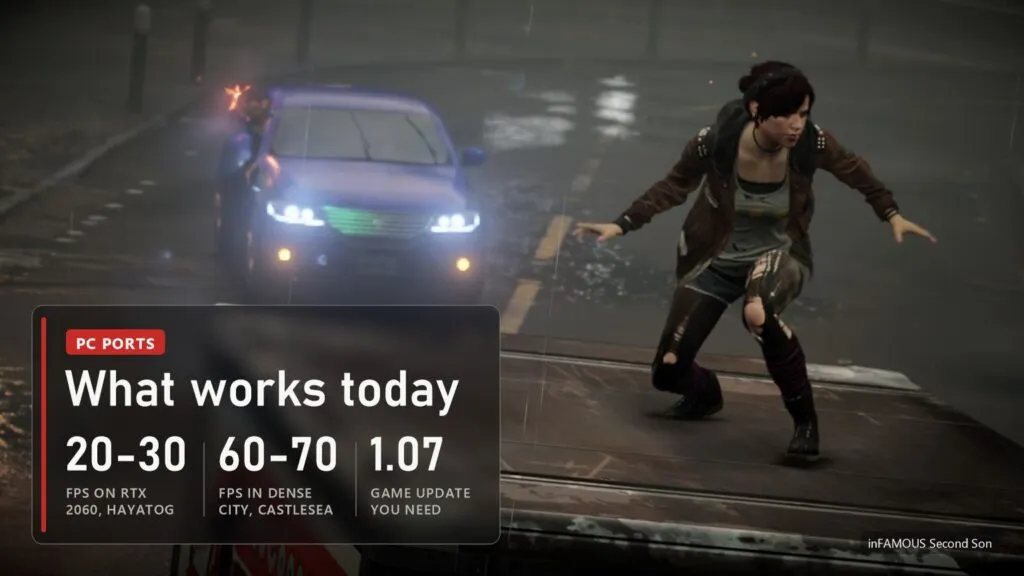
Both authors call their ports playable, and that's fair. The game starts, the story runs with cutscenes, saves and the HUD, and you can roam Seattle freely. HayatoG's status table says it has been tested up to the "Go to Longhouse" mission, with climbing, powers and cutscenes working. Castlesea lists story saves, free roam, menus and pause.
- Works in both: DualSense, DualShock 4 and Xbox controllers, the keyboard, sound without any firmware files, the graffiti missions on controllers without a gyro (more on that below).
- Stutter in new areas. Every new effect compiles its shader the first time you see it. The cache fills up and the second session runs smoother. Castlesea prepares part of the shaders before the first launch, which takes about two minutes once.
- Graphics glitches. HayatoG still has flickering fog, water and fire. Castlesea has buildings that pop in late.
- Speed. On a mid-range card it's 30 FPS console territory, not a PC remaster. Castlesea admits that its densest city views drop to 60-70 FPS even on an RX 9070 XT, because part of the GPU work is still translated.
HayatoG keeps a plan table in the README: 2K, 4K, 120 and 240 Hz, FSR and DLSS are all listed as planned, not done. The FSR 1 option in the launcher is there already, but it's plain upscaling, not FSR 2 or later.
PC requirements and size
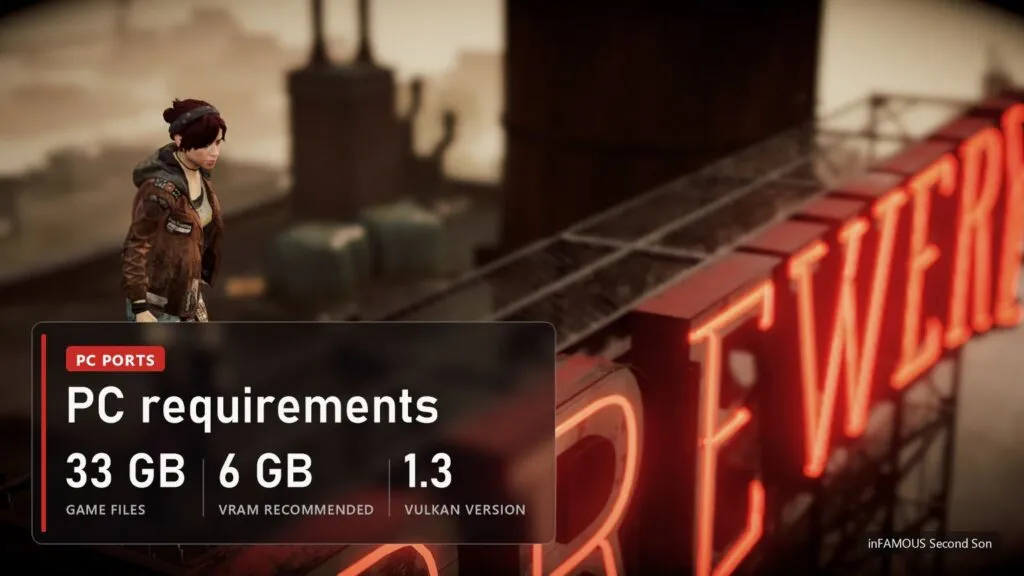
There are no official requirements, the game never came out on PC. What follows is what HayatoG lists in the README, plus what the Castlesea build needs to compile.
| What | HayatoG | Castlesea |
|---|---|---|
| System | Windows 10 (1903 or newer) or 11, 64-bit; Linux x86-64 with glibc 2.39+ (Ubuntu 24.04, Fedora 40, SteamOS 3.6 or newer) | Windows, 64-bit |
| Graphics | Vulkan 1.3, 6 GB of VRAM recommended | Vulkan; the README's reference card is an RX 9070 XT |
| Disk | About 33 GB for the game files, plus 117-122 MB for the port | The game files plus a 21 MB port, extracted outside Program Files |
| Game | Your own copy, CUSA00223 with update 1.07 (CUSA00004 boots too) | Your own copy, CUSA00004 or CUSA00223 |
| Processor | Any 64-bit x86; on old Intel chips without F16C (Sandy Bridge) the missing instructions are emulated at start | Not listed; the reference machine is a Ryzen 7 7800X3D |
4 GB cards are a known weak spot: textures don't fit, the frame rate falls through the floor. The v1.0 release helped a lot here. HayatoG says video memory use dropped by about 2.4 GB, from 5.6 to roughly 3.2 GB on an RTX 2060, and 6 and 8 GB cards stopped running out. The Steam Deck is a maybe: SteamOS 3.6 fits the Linux build's requirements, but neither author has published Deck numbers.
Where to download and how to start
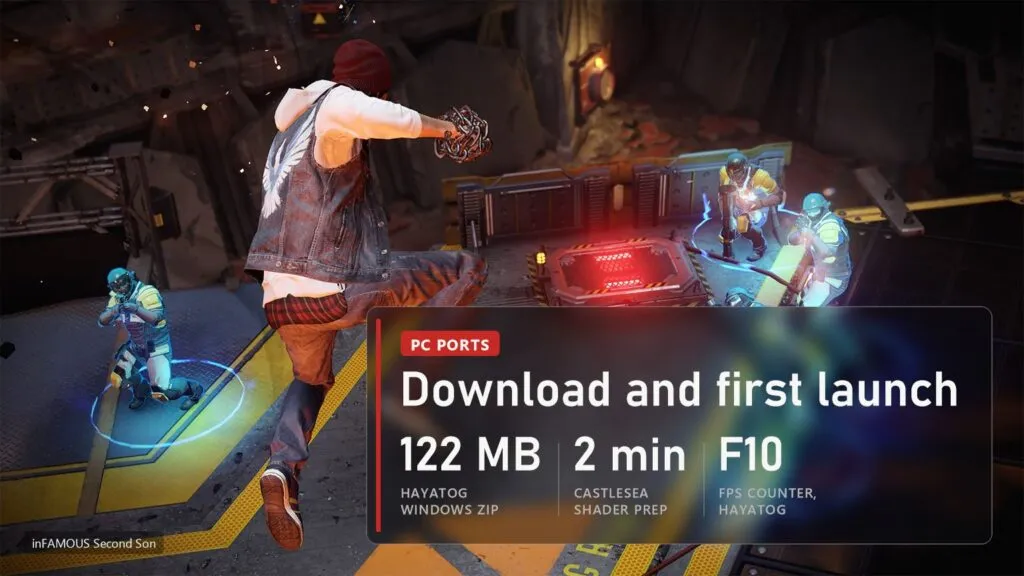
Download only from the authors' repositories: github.com/HayatoG/iss_pc/releases and github.com/Castlesea/infamous-second-son-pc-port/releases. A site that offers "inFAMOUS Second Son PC download" with the game already inside is giving you either someone else's pirated build or something worse. The ports themselves contain no game files, and that's exactly why they can sit on GitHub.
With HayatoG, take infamous-windows-x86_64.zip from the release marked Latest (v1.0), or infamous-linux-x86_64.tar.gz for Linux. Extract it, open inFAMOUS Second Son, pick the folder with your game and press Play. If Windows shows "Windows protected your PC", click More info, then Run anyway: the program isn't digitally signed, and that's the only reason for the warning. In the game, F10 shows the FPS counter and Insert (or R3 + L2 on a controller) opens the port's menu.
With Castlesea, extract the zip anywhere you can write to, run inFAMOUS Second Son Launcher.exe, pick your game folder and press PLAY. The first start prepares shaders for about two minutes, then it's quicker. F9 shows FPS, Alt+Enter switches between window and full screen.
A word on betas. HayatoG publishes test builds like beta-rc1 next to the stable one, and the launcher never offers them as updates. Beta-rc1 brings native ultrawide, a HUD that scales with it and a fix for the white screen when Delsin absorbs a new power, but it can break other things. If you're stuck on that white screen, it's worth a try. Otherwise stay on v1.0.
Best settings, mods and cheats
HayatoG's launcher has four ready presets on the Graphics screen: Performance, Balanced, Quality and Faithful to PS4. Start with Balanced. If it stutters, the same screen has a fast "GPU accuracy" mode, but it switches off GPU particles (the smoke when you drain energy, the drones) and darkens the picture, so it's a last resort. FSR 1 with sharpening helps on weak cards, the FPS limit and VSync are next to it. For a 6 GB card, pick the "RENDERER V2 + NATIVE PASSES" preset, as the v1.0 notes advise.
In the Castlesea build from October 19, the settings that matter are the FPS limit (30 to 240, or Unlimited) and VSync. A limit above your monitor's refresh rate only works with VSync off. The README already describes more: resolutions up to 4K, 21:9 and 32:9, FSR 1, a field of view from 90 to 130% and a HUD width setting. Part of that arrived in the code after the October 19 build, and the author hasn't published a new one since, so the rest means building the port from source with Visual Studio and the shadPS4 sources.
Mods are a frequent search, and the honest answer is: few so far. HayatoG has a Mods / Cheats screen that turns on cheat files in XML and can skip the logo videos at boot (story cutscenes stay). The European 1.07 executable is recognized for an existing camera improvement mod. Full mod support is on the plan table, not in the build.
Graffiti, touchpad and motion sensor without a DualShock
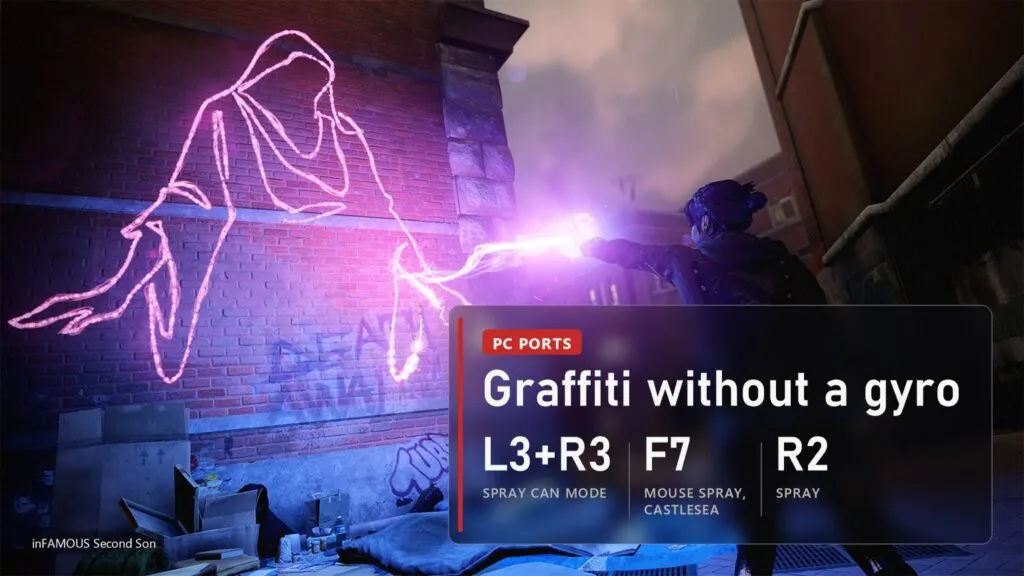
This is where most people get stuck on their first evening. The game asks you to hold the controller sideways like a spray can ("Hold Wireless Controller Sideways"), shake it and aim by moving it. A DualShock 4 or DualSense does all of that on its own. An Xbox pad has no gyro and no touchpad, and without a workaround you can't finish the first graffiti.
- HayatoG, controller: tap L3 and R3 together (Share on an Xbox Series pad). The controller is now "on its side": A shakes the can, R2 sprays, the left stick aims. Tap L3+R3 again to leave the mode.
- HayatoG, keyboard: T or G turns the controller sideways, the arrow keys aim while you hold them, Y shakes. In beta-rc1 a quick wiggle of the mouse shakes too.
- HayatoG, touchpad: hold View or Tab and move the right stick to swipe (the door in the first chapter), a quick tap clicks. With the mouse: hold Left Ctrl and it turns into a finger on the touchpad.
- Castlesea, controller: L3 and R3 together as well, then the right stick aims, R2 sprays, A shakes, RB recenters. View and Menu press the left and right halves of the touchpad.
- Castlesea, mouse: F7 starts the spray mode, the right button shakes, the left one sprays. F5 opens a small window with a touchpad you can click and drag, F6 turns the mouse itself into the touchpad.
HayatoG also shows the steps on screen the first time the spray mode switches on, with your controller's buttons, and the Insert menu has a slider for aiming speed. If the cursor runs off the stencil, lower it to 50-70%.
Crashes and common problems
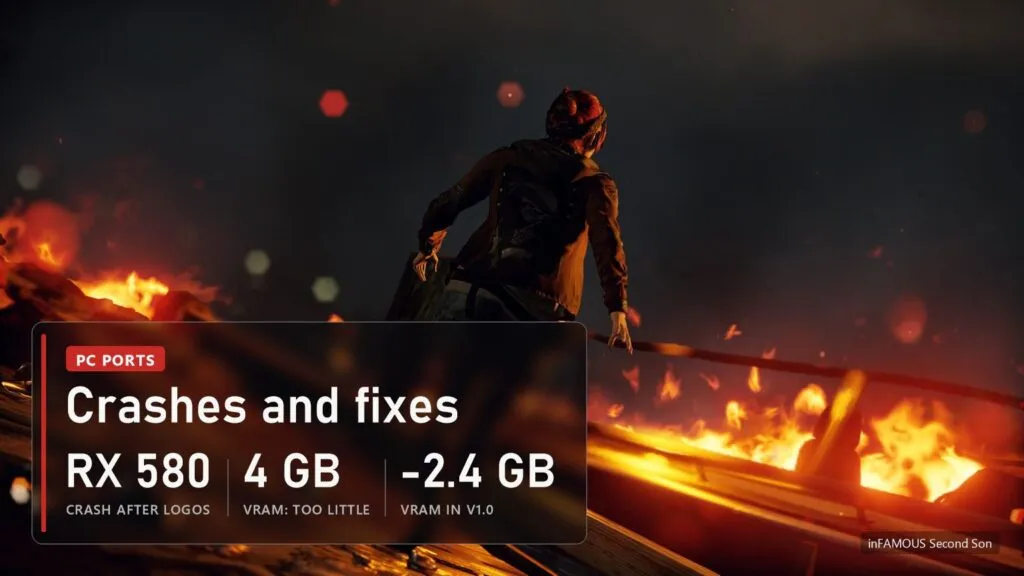
- Crash right after the logos on an RX 580 or another Polaris card (Windows). The log shows
amdvlk64.dll. It's a known problem, there's no full fix. HayatoG's launcher has an experimental "RX 580 compatibility" preset: turn it on, restart the game, and if it still crashes, send the log through the Support screen. - The game crashes on an NVIDIA RTX 5050 or 5060 with
nvoglv64.dll. Fixed in v1.0. If you're on an older build from October 17-21, update. - Very low FPS on a 4 GB card. Lower the resolution on the Graphics screen and set the VRAM budget below your card's memory. Don't use the fast "GPU accuracy" mode as a fix, it darkens the picture.
- Flickering lights and smoke on an RTX 30 (Windows). Pick the Recommended profile on the Fixes screen and play two sessions in a row: the first one rebuilds the shaders. Flickering car headlights and glare showing through characters were fixed by occlusion mode 3, which is now the default.
- White screen or freeze when Delsin absorbs a new power. Fixed in beta-rc1 (October 28), not in v1.0 yet.
- "The update deleted my save." It didn't. HayatoG keeps saves in the
userfolder next to the game, so a new version extracted elsewhere starts empty. Saves & data has a search for other installs and an Import button. Better yet, set a fixed data folder there (for example Documents\inFAMOUS-PC), and future updates will find it on their own. - Black screen on a Quadro or a Maxwell card. These cards are probably below the port's minimum. No fix yet.
- Castlesea: the launcher hangs on PLAY. That was a large shader cache being copied on every start, fixed in the October 19 build. On Intel processors there was also a crash, fixed in the source code after that build but not released yet.
If your problem isn't here, HayatoG's Support screen builds a report with your GPU, driver and log, and it strips the user name and personal folders out first. With 393 open issues on GitHub, a report with a log gets read much faster than "it crashes".
Versions
| Date | Port and version | What changed |
|---|---|---|
| October 28, 2026 | HayatoG beta-rc1 (test) | Native ultrawide and proportional HUD, white screen after absorbing a power fixed, vibration switch, graffiti shake with the mouse, up to 300 MB less VRAM |
| October 24, 2026 | HayatoG beta | Test build before rc1 |
| October 22, 2026 | HayatoG v1.0 (stable) | Renderer v2 by default on Windows, about 2.4 GB less VRAM, NVIDIA crash with native passes fixed, automatic VRAM budget |
| October 21, 2026 | HayatoG build | Interim build before v1.0 |
| October 19, 2026 | Castlesea, the only release so far | Controls without a touchpad, F5 touchpad and spray window, mouse spray, FPS limit 30-240, launcher freeze on PLAY fixed |
| October 17-19, 2026 | HayatoG first builds | First public Windows and Linux builds, nine of them in three days |
We update this table when a new build comes out. The rest of the PS4 games that now run on PC, Bloodborne and Uncharted among them, are in our running list.
FAQ
Is there an official inFAMOUS Second Son PC version?
No. The game is on PS4 only, and there's no PC version on Steam or anywhere else. Both ports are fan projects that need your own copy of the PS4 game.
Is this an emulator like shadPS4?
Not quite. The graphics part comes from shadPS4, but the game's code runs directly on your processor, and the system libraries are rewritten for this one game. That's why the ports run faster than general emulation, and why they only run inFAMOUS.
Which version of the game do I need?
HayatoG is tested on the US edition CUSA00223 with update 1.07, and the European CUSA00004 boots too. Castlesea works with both editions. In either case, use update 1.07.
Does it run on the Steam Deck?
HayatoG's Linux build lists SteamOS 3.6 or newer among the supported systems, so it should start. Nobody has published Deck frame rates yet, and with 20-30 FPS on an RTX 2060, don't expect miracles.
Is it safe to download?
From the authors' GitHub Releases, yes as far as anyone can tell: the source code is open and HayatoG publishes SHA256 checksums. The Windows warning appears because the exe isn't signed. Builds from other sites, especially ones bundled with the game, are a different story.
Sources
HayatoG/iss_pc on GitHub: README (status, requirements, launcher, known problems, plans) and Releases, notes for v1.0 (Oct 22, 2026) and beta-rc1 (Oct 28, 2026). Castlesea/infamous-second-son-pc-port on GitHub: README, the October 19, 2026 release and the commit history to October 24, 2026. Stars and download counters checked on October 31, 2026. Images: official inFAMOUS Second Son screenshots from the PlayStation Store, FramesGames chart based on GitHub Releases.