The green "Verified for Steam Deck" badge reads like a promise: buy it, launch it, play it. Valve actually checks four things, and none of them is how long the battery lasts or how many frames you get. So I took the twenty most played games on Steam as of 27 August 2026 and ran every one of them through Valve's own compatibility report and through player reports on ProtonDB. The disagreements turned out to be more useful than the badges.
- What the Valve badge actually tests
- The twenty most played Steam games and the Deck
- Where the badge and reality part ways
- S.T.A.L.K.E.R. 2: Valve says no, players play anyway
- GTA V Legacy: 2276 reports against one badge
- Counter-Strike 2: only Playable because of small type
- Apex Legends: 1778 reports and still no
- Battlefield 6: the rare case where everyone agrees
- Overwatch: the badge sells it short
- Dead by Daylight and Palworld: the badge tells the truth
- Anti-cheat decides more than the hardware does
- A one minute check before you buy
What the Valve badge actually tests
Valve has four buckets: Verified, Playable, Unsupported and Untested. The bucket comes out of a test, and the report for each game shows which items passed and which did not. There are exactly four items.
- The default controller layout works. You can finish the game without remapping anything by hand.
- Button glyphs match the Deck. The game never asks you to press a key that is not there.
- Interface text is legible on a seven inch screen. Strategy games and shooters with a tiny HUD fail this one most often.
- The default settings perform acceptably. The default ones, not the ones you will pick yourself.
Now look at what is missing. Battery life. Any specific frame rate. Whether the online mode connects at all. A game can earn the green badge honestly and still drain the battery in ninety minutes, because "acceptable performance" is not pinned to thirty frames or sixty.
The twenty most played Steam games and the Deck
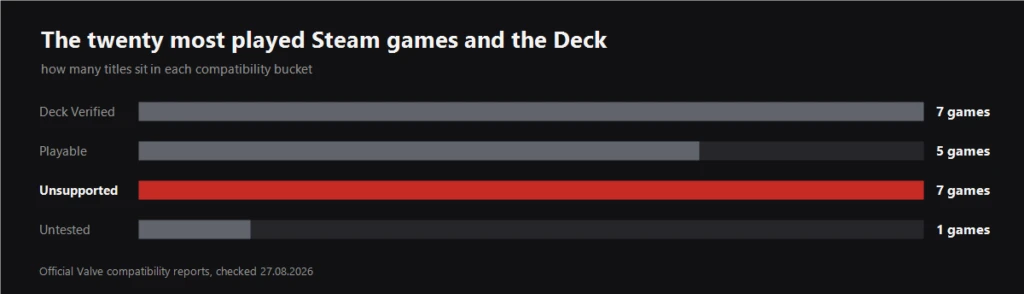
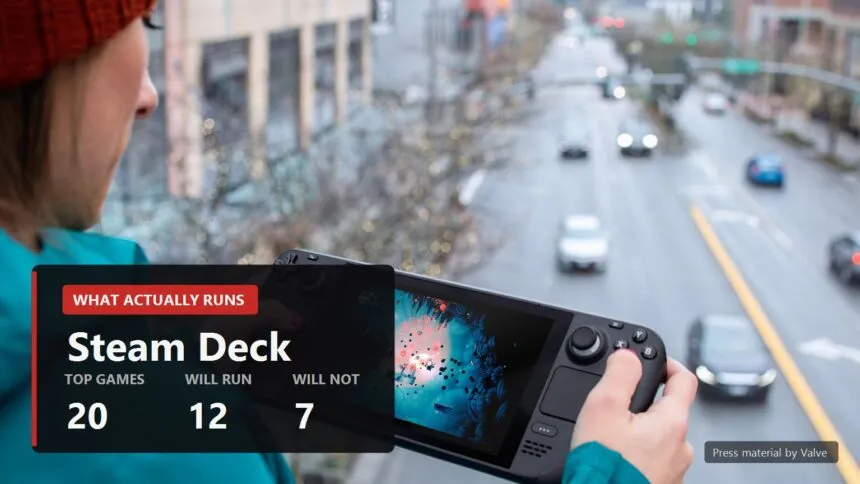
Seven Verified, five Playable, seven Unsupported, one never tested. So one in three of the games people are playing right now does not officially work on a Deck. This is not a list of obscure old titles either: the unsupported column holds PUBG, Apex Legends, Rainbow Six Siege, Battlefield 6, EA SPORTS FC 26 and GTA V Legacy.
Where the badge and reality part ways
Two numbers per game below: Valve's verdict, and the verdict of player reports on ProtonDB, where platinum means it runs untouched, gold means it runs after small tweaks, and borked means it does not start. The number in brackets is how many reports the rating rests on, and that matters more than the rating itself. A verdict built on fourteen reports and one built on two thousand are not the same animal.
S.T.A.L.K.E.R. 2: Valve says no, players play anyway
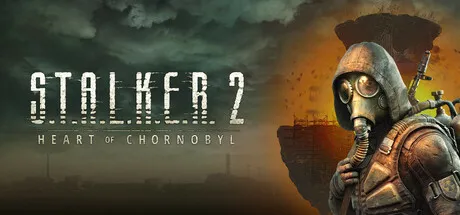
Valve: Unsupported. The report names a single reason, insufficient graphics performance. ProtonDB: gold across 422 reports. The gap has a simple explanation. Valve tests the default settings, and on defaults the Zone really does turn into a slideshow. Players go into the menu instead, drop everything to low, switch on an upscaler and get a playable thirty.
My read: yes you can play it, but it is a weekend tuning project rather than a buy and go. If you have already wrestled with Stalker's graphics settings on a desktop, none of this will surprise you.
GTA V Legacy: 2276 reports against one badge

Valve: Unsupported, reason given as anti-cheat configuration. ProtonDB: gold across 2276 reports, one of the best worn entries in the whole database. There is no contradiction here, there is one badge covering two games. The single player campaign runs. Online hits the anti-cheat wall and stops.
Which means a red badge is scaring off the person who only ever wanted Michael and Trevor.
Counter-Strike 2: only Playable because of small type
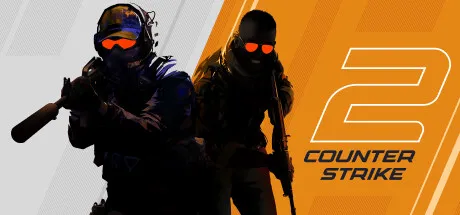
Valve: Playable. ProtonDB: gold across 2029 reports. The interesting part is which items Valve's own game failed. Performance is fine and the default controller layout works. The two failures are button glyphs that do not match the Deck, and interface text that is not legible.
That is what the badge is worth. The yellow status here is about font size, not frame rate.
Apex Legends: 1778 reports and still no

Valve: Unsupported, anti-cheat. ProtonDB: silver across 1778 reports, and that silver is an inheritance from the years when the game did run on Linux. Recent reports are mostly about being kicked before the match starts. The rating is misleading here, and the fix is to read the fresh reports rather than the lifetime average.
Battlefield 6: the rare case where everyone agrees
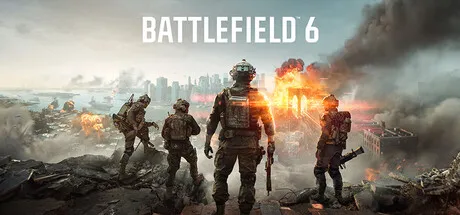
Valve: Unsupported. ProtonDB: borked, a flat zero across 97 reports. It does not launch and there is no workaround. Same story for PUBG (borked, 195 reports) and Rainbow Six Siege (borked, 310 reports).
Overwatch: the badge sells it short

Valve: Playable. ProtonDB: platinum across 1131 reports, the highest rating there is. A game the community scores top marks while Valve keeps it yellow. Disagreements in this direction are rarer, and they mean a yellow badge is not a reason to walk away.
Dead by Daylight and Palworld: the badge tells the truth

Dead by Daylight: Verified at Valve, gold across 992 player reports. Palworld: Verified, platinum across 561. Both are online, both ship anti-cheat, and both work, because the developers switched on Proton support at their end. That is the whole answer to why some multiplayer games run and others do not.

Anti-cheat decides more than the hardware does
Of the seven unsupported games in the top twenty, five fail on anti-cheat and only one, Stalker, fails on performance. Easy Anti-Cheat and BattlEye have worked through Proton for years, but the developer has to enable it, one checkbox on their side. If they do not, the game will not start on a Deck or on any other SteamOS machine, and no amount of tinkering gets around it.
The practical consequence is worth spelling out. If you are buying a handheld for competitive shooters, check the list before you buy the device, not after. For single player games the picture is far friendlier.
A one minute check before you buy
- Open the Steam store page and find the compatibility block. It carries not just the badge but the list of passed and failed items. Half your questions die right there.
- Look at which item failed. Small text you will survive. Anti-cheat you will not.
- Check ProtonDB and look at the report count. A rating built on ten reports means nothing, one built on a thousand means a lot.
- Read recent reports rather than the lifetime score. Apex averages silver while its latest reports are all about not getting into a match.
- For anything online, check the online part separately. Campaign and multiplayer live by different rules, as GTA V demonstrates.
A minute across two tabs saves an evening of disappointment and sometimes the money too. Steam refunds work, but the taste lingers.
Sources
Valve's official Steam Deck compatibility reports, queried per game on 27 August 2026. Most played list: Valve's own Steam Charts data for the same date. Community ratings and report counts: ProtonDB. Hardware specifications: steamdeck.com/en/tech.