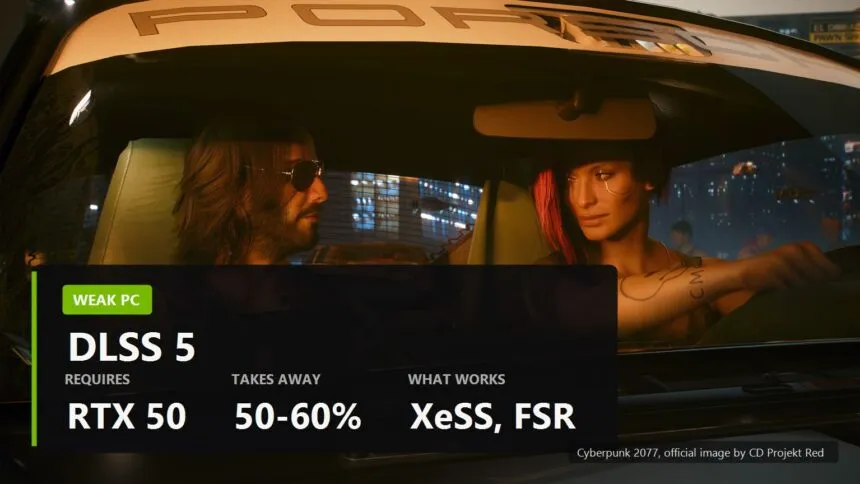
You have a GTX 1660, or an RX 6600, or a laptop RTX 3050, and for a week every feed has been telling you that graphics just had their GPT moment. Reasonable question: does any of it reach you?
Short version, so you can close the tab if that is all you came for. DLSS 5 will not run on your card, and it would not help you if it did. What will help is already installed, costs nothing, and on most machines is switched off. Here is the full picture with the numbers that make it obvious.
Why DLSS 5 is not coming to your PC
DLSS 5 is not an upscaler. Every version before it took the frame the engine had drawn and made it bigger or made more of it. This one takes colour and motion vectors and has a neural model paint lighting and materials on top of them. Different work, different bill.
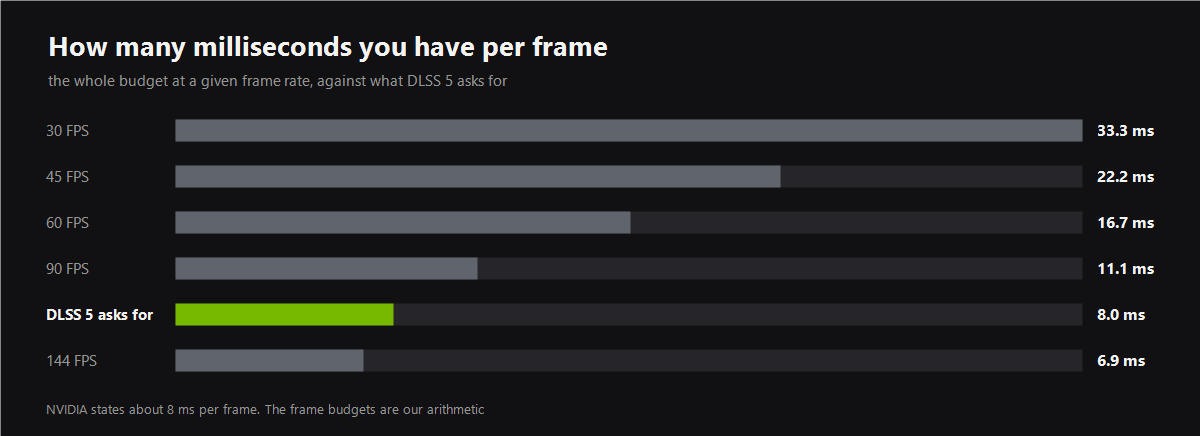
NVIDIA published the bill itself: roughly 8 milliseconds per frame, or 50 to 60 percent of frame rate averaged across the RTX 50 line. Put that next to the chart above and the problem stops being abstract.
- At 60 frames per second you have 16.7 ms for everything. The model wants half of that before the game has drawn a single pixel.
- At 30 frames per second, where weak hardware actually lives, 8 ms is a quarter of the budget. And you were already short of budget, that is why you are at 30.
- The bill does not shrink with your card. There is no per game tuning and no cheap mode. The model is the model, and it charges the same toll everywhere.
So the RTX 50 restriction is not a driver lock invented by the marketing department. It is arithmetic. NVIDIA has confirmed a port to the RTX 40 series, with no date and openly secondary priority, and even there the sums are uncomfortable. The whole breakdown is in what DLSS 5 actually costs.
The counter example that settles it
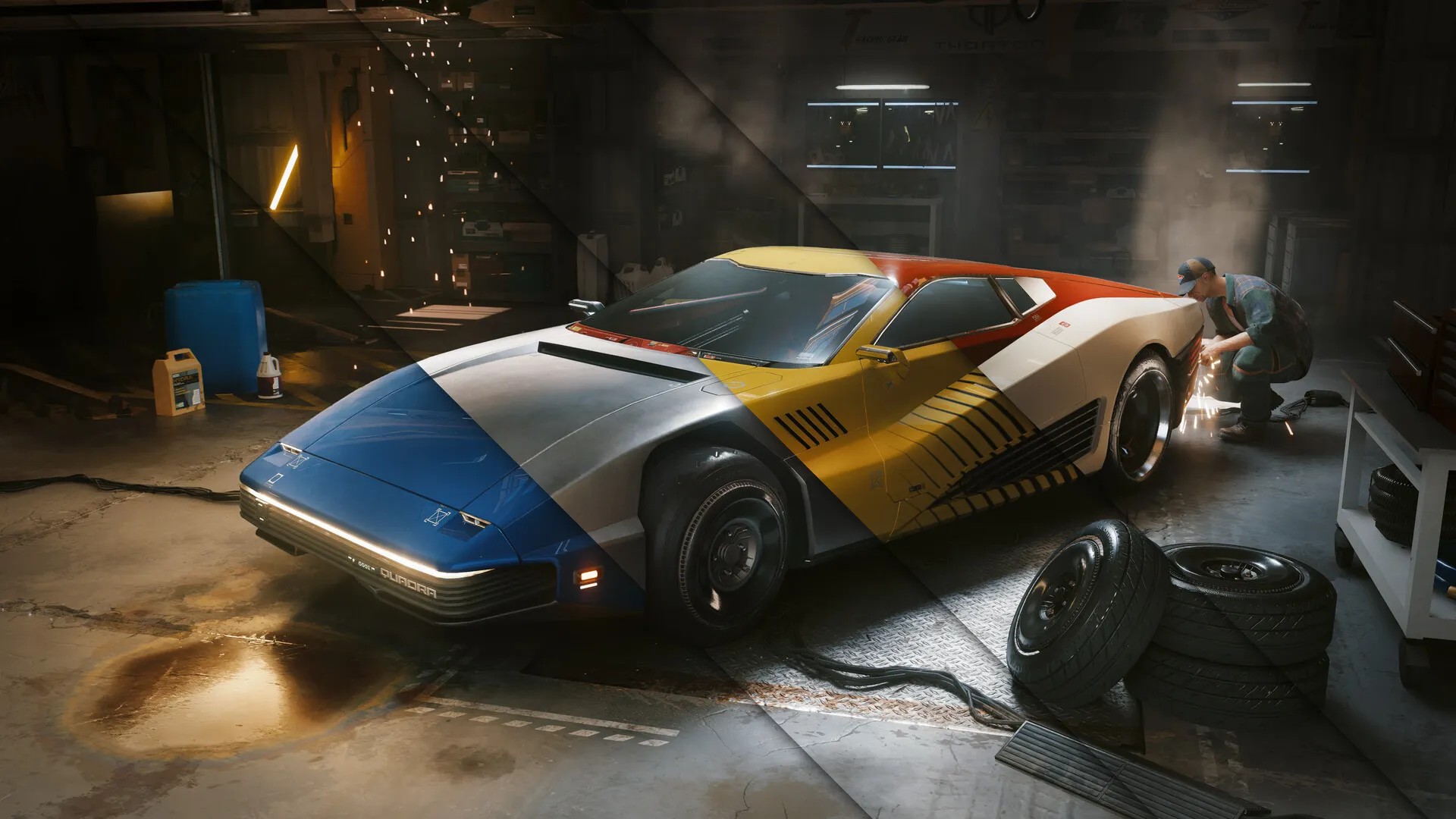
If you would rather have proof than arithmetic, somebody already ran the experiment. A GitHub project feeds DLSS 5 to a Radeon RX 9070 XT by pretending to be FSR. It works. It runs at 28 frames per second at 1080p, and the author states that himself in the first line of the description.
An RX 9070 XT is not a weak card. It is a current generation Radeon that costs several hundred dollars. If that is what neural rendering does to it, there is no version of this story where a GTX 1660 gets a happy ending. We covered the project and its numbers separately.
What your card actually runs today
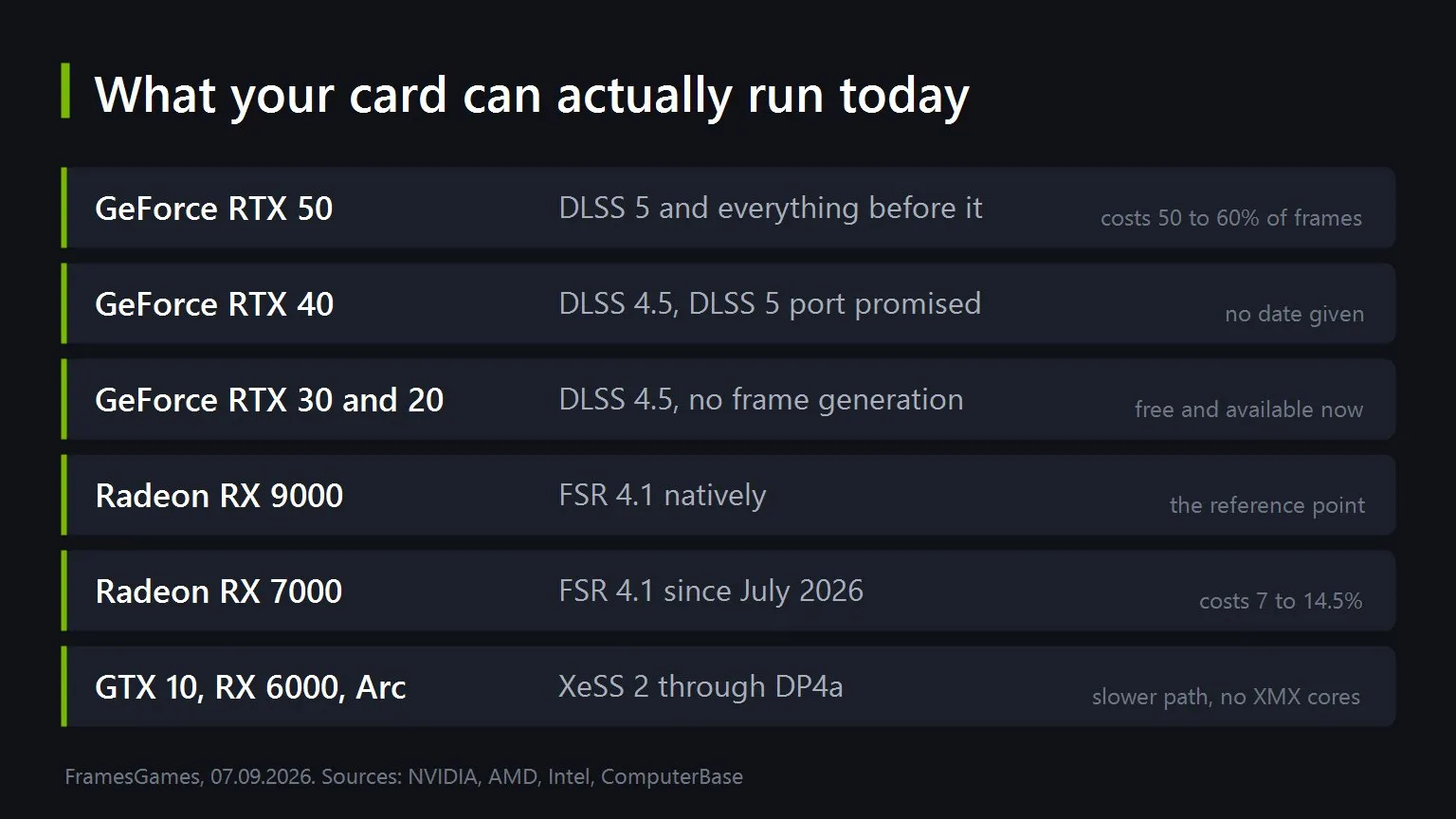
This is the part worth keeping. Everything on this list exists right now, costs nothing, and works in games you already own.
- GeForce RTX 20 and 30. DLSS 4.5 with the transformer model, and that includes the second generation of Ray Reconstruction, which shipped free. No frame generation, that starts at RTX 40. Switch it on in the NVIDIA app and force the newest preset with DLSS Override.
- GeForce GTX 10 and 16. No DLSS at any version, and no trick gets you one. XeSS 2 is your upscaler, and it is genuinely good now.
- Radeon RX 9000. FSR 4.1 natively. Nothing to decide.
- Radeon RX 7000. FSR 4.1 since July 2026, and it is not free. Numbers in the next section.
- Radeon RX 6000 and RX 5000. FSR 3.1 today. AMD promised FSR 4.1 for early 2027, and there is a reason to expect a heavier bill than on RX 7000: these cards have no AI accelerators at all, so the work lands on the stream processors.
- Intel Arc. XeSS 2 through the XMX cores, which is the fast path the technology was built for.
XeSS 2 deserves the emphasis, because a lot of people still file it under "the Intel one". It runs on anything with Shader Model 6.4 or above, which means GeForce GTX 10 series and newer and Radeon RX 5000 and newer, and it brings the whole set: super resolution, frame generation and the low latency mode. On non Intel cards it goes through DP4a instructions rather than XMX matrix cores, so it is the slower path with a weaker resolve. It is still the same technology, and it is still free.
The catch is that the game has to ship it. When it does not, an upscaler can be swapped into almost any game by hand, and OptiScaler is the tool that does the swapping.
What FSR 4.1 costs on an older Radeon
An owner of an RX 7000 card has a real decision to make here, so it needs real numbers. FSR 4.1 reconstructs the frame with a neural model, RDNA 4 runs that model in FP8 on second generation accelerators, and RDNA 3 has to do the same work in INT8. AMD aimed for equal image quality across generations, which is precisely why the older cards pay in frames.
| Card | Cost of FSR 4.1 against FSR 3.1 on the same card |
|---|---|
| RX 9000, RDNA 4 | the reference point, nothing to give up |
| RX 7900 XTX | 11 percent in Quality, 14.5 in Performance |
| RX 7800 XT | 7 percent in Quality, 9 in Performance |
| RX 7600 | 7 percent in Quality, 9 in Performance |
Read it as a trade rather than a loss. Single digit percentages on an RX 7800 XT buy you an upscaler that does not smear the moment you turn the camera. And if those frames matter, drop one quality step instead of switching back: FSR 4.1 in Performance on an RX 7900 XTX still outruns FSR 3.1 in Quality, and looks better doing it.
If you have 4 GB of video memory
This is the hardest case and the one people write off fastest. Tom's Hardware went back to a Radeon RX 6500 XT and a GTX 1650 Super in 2026, and the conclusion was not the one the forums give: 4 GB is not an instant cliff. It is a budget you have to spend deliberately.
- Set the upscaler before you touch anything else. Modern titles are tuned on the assumption that one is running. Starting at 1080p on medium with XeSS in Balanced is a normal opening position on this class of card, not a defeat.
- Watch input latency, not only the frame counter. A number that looks acceptable can still feel wrong, and on 4 GB those two come apart more often than anywhere else.
- The reported memory figure is not a verdict. A game claiming it needs more than 4 GB can still run properly with upscaling on. Try it before believing the overlay.
- Where there is no upscaler at all, only settings are left. That is the one case with nothing clever in it, and it is exactly the case OptiScaler was written for.
Worth knowing if you are shopping at the bottom of the range: AMD's new RX 9050 comes with 4 GB on a 64 bit bus, and it does support FSR 4.1. Which tells you the vendors have not written this tier off either. If the question is what to actually play on hardware like this, we keep a separate list.
Do these four things, in this order
Sorted by how much you get for the effort, not by how interesting each one is.
- Turn the upscaler on in the games you already play. Free, two minutes, and on a weak card it is the single largest gain available to you. Quality mode first, drop a step only if you have to.
- Update the version the game shipped with. Games ship an old upscaler build and then never touch it again. Replacing the file is copy and paste, and the difference in motion is visible immediately.
- Add one where the game has none. This is OptiScaler's entire reason to exist, and it works on titles nobody has patched for years.
- Only then start cutting settings. Shadows and volumetrics before textures, because textures cost memory rather than compute, and they are the thing you actually look at.
What not to do
- Do not wait for DLSS 5 to reach your card. Even the RTX 40 port has no date, and the arithmetic above does not improve with waiting.
- Do not put library swaps into online games. Anti cheat sees injection and answers with a ban. This is the one rule in the whole subject with no exceptions.
- Do not download upscaler files from sites that look official. OptiScaler has GitHub, Discord and a NexusMods page, and nothing else. A DLL that loads with your game is a perfect wrapper for anything at all.
- Do not buy a card for DLSS 5 today. One game supports it. That is not a reason to spend money, and the feature will still be there when there are ten.
The uncomfortable summary is that the loudest technology of the month is not for you, and the useful one has been sitting in your driver for two years with nobody telling you to switch it on. That is usually how it goes.
Sources
The description of 3D-Guided Neural Rendering, support limited to the GeForce RTX 50 series and the confirmation of an RTX 40 port with secondary priority and no date come from NVIDIA. The figure of roughly 8 milliseconds per frame and 50 to 60 percent of frame rate, and the absence of per game tuning, come from NVIDIA's answers at the DLSS 5 technical preview as reported by TechPowerUp. The frame budgets on the chart are our arithmetic from those milliseconds. The 28 frames per second at 1080p on a Radeon RX 9070 XT is from the author's own description of the DLSS-NR on AMD project on GitHub. The cost of FSR 4.1 against FSR 3.1 on RDNA 3 cards was measured by ComputerBase across nine games and reported by TechPowerUp on 26 June 2026; the FP8 and INT8 explanation and the promise of FSR 4.1 for RX 6000 in early 2027 come from AMD. The Shader Model 6.4 requirement for XeSS 2, its coverage of super resolution, frame generation and low latency, and the DP4a path on non Intel hardware come from Intel's XeSS documentation and SDK release notes. The findings on 4 GB cards in 2026, including the need to tune quality and upscaling settings together and the RX 9050 supporting FSR 4.1, come from Tom's Hardware. The order of actions and the trade off reading of the FSR table are ours.