• TRENDING
  • Warframe
  • Game News
  • How-to
  • Games
  • Hardware News
  • CONTACT US
FramesGames
EN
  • ENEnglish
  • NLNederlands
  • Hardware
    • PC Builds
    • PC build calculator
  • Games
    • Reviews
  • How-to
  • News
    • Game News
    • Hardware News
  • Bookmarks
Reading: SteamOS or Windows on a handheld: which to pick
Share
FramesGamesFramesGames
Font ResizerAa
  • Adventure
Поиск
  • Hardware
    • PC Builds
    • PC build calculator
  • Games
    • Reviews
  • How-to
  • News
    • Game News
    • Hardware News
  • Bookmarks
Have an existing account? Sign In
Follow US

Home / How-to / SteamOS or Windows on a handheld: which to pick

How-to

SteamOS or Windows on a handheld: which to pick

Last updated: September 2, 2026 8:01 pm
David Freeman
Share
7 Min Read
SHARE

The SteamOS versus Windows argument on a handheld usually gets fought over interface polish and how fast the thing wakes from sleep. I would start from the dull end instead: the list of games that simply refuse to launch on SteamOS. The list is short, specific, and settles the question faster than any amount of talk about shells.

Содержание
  • First count what you actually play
  • What SteamOS gives you
  • What Windows gives you
  • Valve now scores three platforms separately
  • SteamOS left the Deck behind a while ago
  • How to decide in five minutes

First count what you actually play

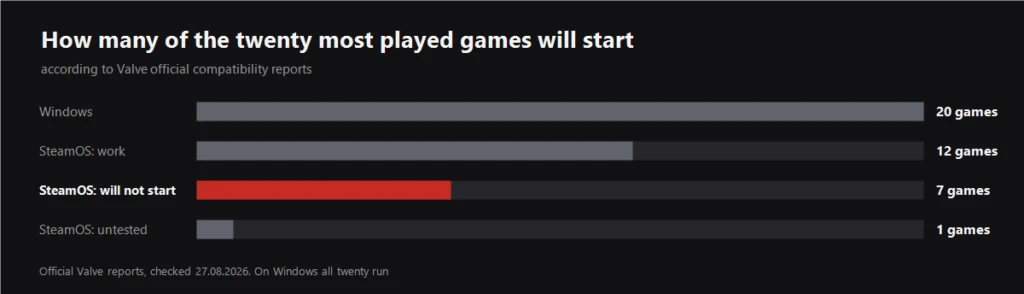
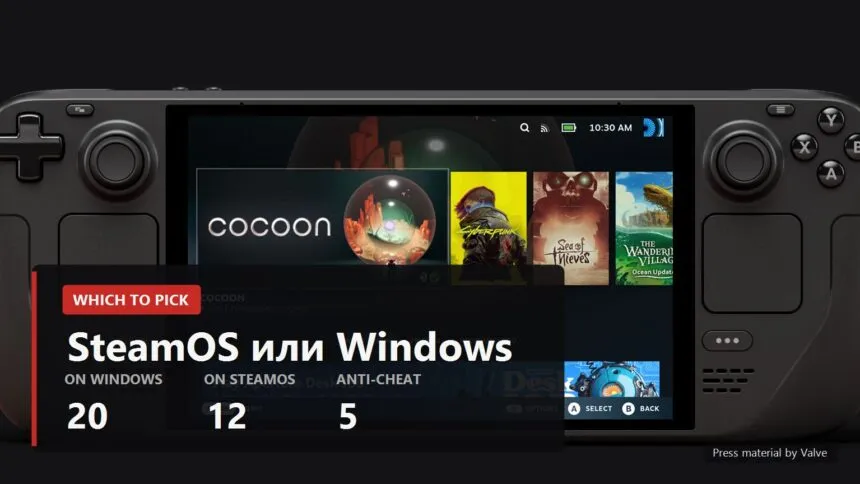
Chart: how many of the twenty most played Steam games start on Windows and on SteamOS
Illustration by FramesGames

I took the twenty most played Steam games as of 27 August 2026 and read Valve's official compatibility reports. On Windows all twenty run, it is their native system. On SteamOS twelve officially work, seven are unsupported and one was never tested. And here is the part that matters more than the totals: of those seven, five fail on anti-cheat and only one on performance.

The game by game breakdown, with community ratings and the reason for each refusal, sits in a separate piece. The conclusion is what counts here. If your five favourites include PUBG, Apex, Rainbow Six Siege, Battlefield 6 or EA SPORTS FC, the discussion is over and you want Windows. No setting works around it, because the decision belongs to the game developer rather than to the operating system.
Read next

Steam Deck OLED official Valve render with the key setup numbers
Steam Deck: the settings to change right after you buy it
Which games actually run on the Steam Deck in 2026
The Best Steam Deck Games: What Actually Holds a Charge and Plays on the Move

What SteamOS gives you

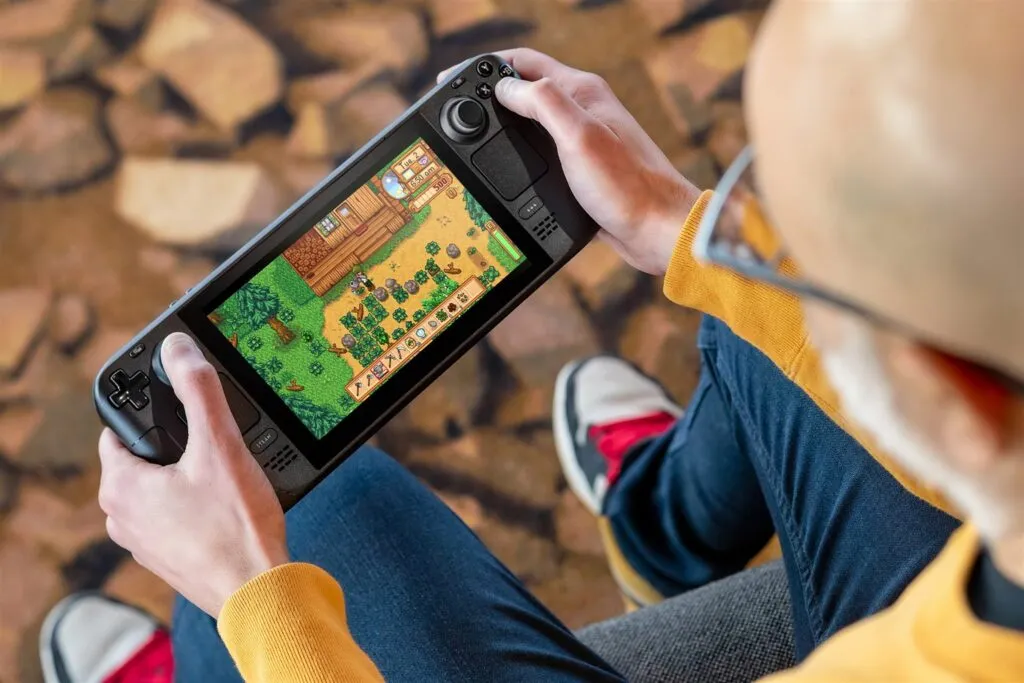
A Steam Deck held in both hands with a game running from the SteamOS interface
Press material by Valve
  • Sleep and instant resume. Press the power button, the screen goes dark, a second later you are exactly where you left off. On Windows this works some of the time and depends on the drivers of your particular handheld.
  • Per game power profiles are built in. Frame limit, refresh rate and power limit are remembered separately for each game, with no third party software involved.
  • Nothing spins in the background. No system update mid match, no antivirus deciding to wake up, no vendor panel sitting on four hundred megabytes of memory.
  • The store and the library are the interface. Controller navigation was designed through to the end rather than bolted onto a desktop.

One honest note about battery: the system itself does not save any. The settings do, and SteamOS just makes them easy to reach. The difference is not in hours of runtime, it is in how long you spend getting those hours.

What Windows gives you
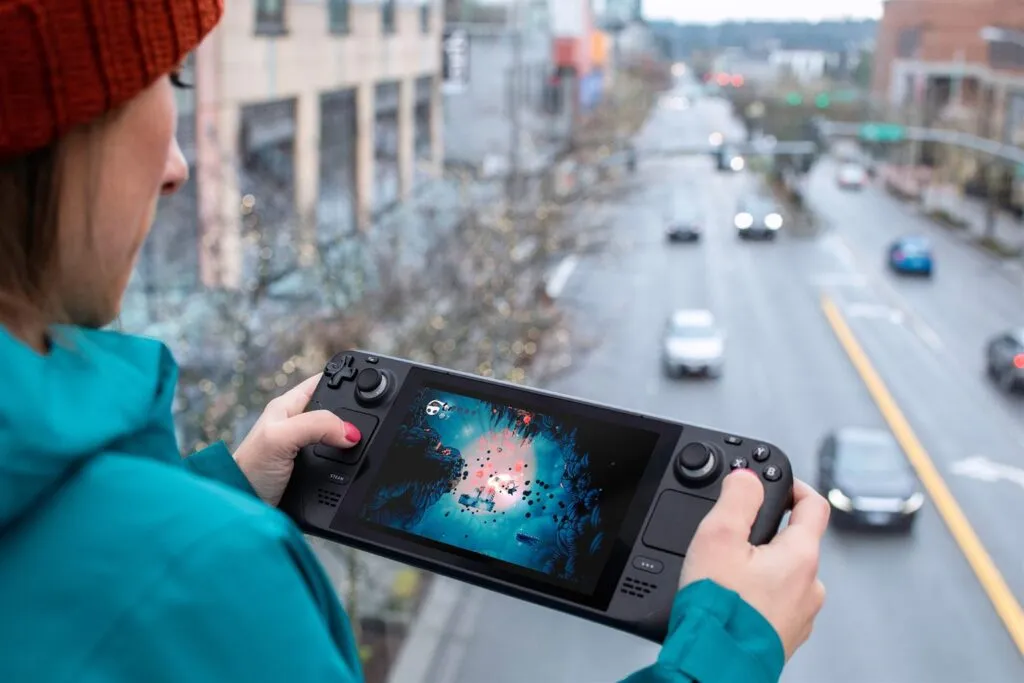
A handheld held in both hands during play
Press material by Valve
  • Every game, no exceptions. Including the five anti-cheat titles that are the reason people buy a Windows handheld in the first place.
  • Any store or subscription. Game Pass, EA, Ubisoft, Epic and GOG all work normally, with no shims and no workarounds.
  • The software you already know. Your own tuning utilities, overlays, capture tools, mods with complicated installers.

You pay for that in fiddling. Windows on a seven inch screen is still Windows: small windows, pop up notifications, drivers you install by hand, and a sleep mode that occasionally decides not to wake.

Valve now scores three platforms separately
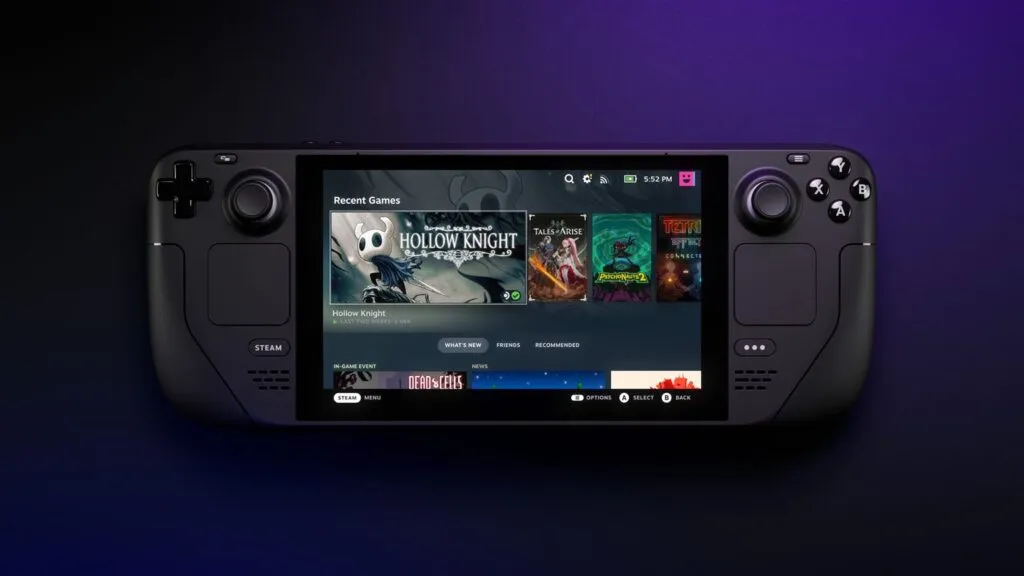
The Steam library on a Steam Deck OLED screen
Press material by Valve

A detail you only notice if you query the compatibility report directly. There used to be one verdict, for the Steam Deck. There are three now: one for the Deck, one for SteamOS in general, and a separate one for Steam Machine. And they test different things.

The Deck gets four checks: controller layout, button glyphs, interface legibility and performance on default settings. SteamOS on somebody else's hardware gets a far shorter list, essentially one question, does the game start. Which makes sense, since Valve has no idea what screen or what power budget you have. The side effect is that in the general SteamOS column not a single one of the twenty earns the top tier, and everything Verified on Deck drops a step. That is a difference in method rather than in quality, so it is not worth worrying about.

SteamOS left the Deck behind a while ago
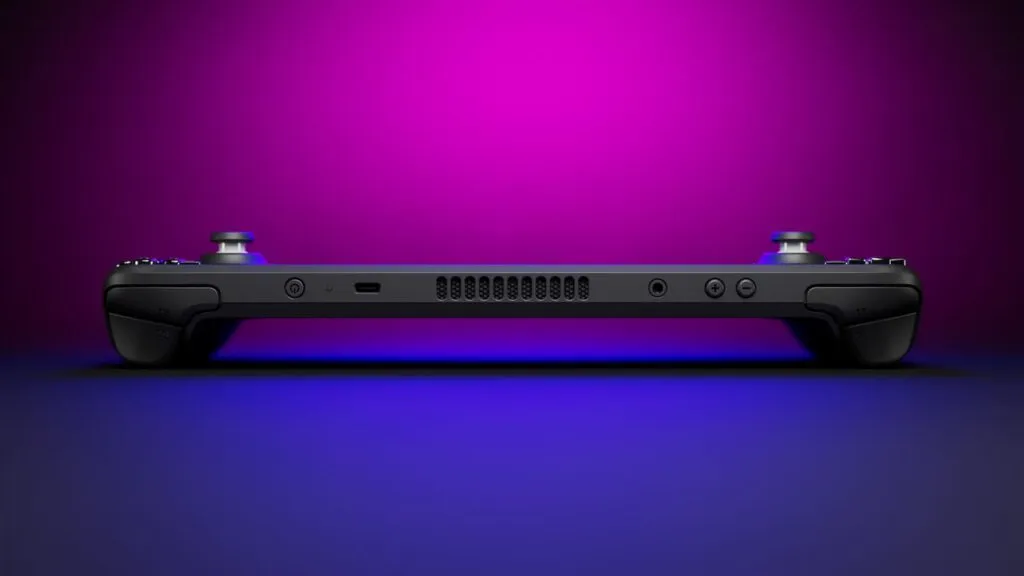
Steam Deck OLED, view of the body
Press material by Valve

This is no longer a one device system. In the SteamOS 3.8 release notes Valve is fixing other people's handhelds in plain sight: a bug where some third party handhelds ignored input while a button was held, and initial gamepad support added for the MSI Claw 8 EX AI+. The same notes carry a Steam Machine firmware section and a "Great on Machine" shelf in the library.

The practical takeaway is simple. If you are eyeing a handheld that Valve did not build and wondering about SteamOS, the odds improve with every update. Check your exact model though, rather than trusting the trend.

How to decide in five minutes

  • Write down five games you genuinely play. Not the ones sitting in your library, the ones you launched in the past month.
  • Check each in the compatibility block on its store page. If even one fails on anti-cheat and you care about it, take Windows and spare yourself the grief.
  • If all five pass, take SteamOS. Sleep, per game power profiles and the absence of background noise show up on the very first evening.
  • For a third party handheld, check your specific model. Support arrives device by device, not all at once.

I lean towards SteamOS and I am not hiding it. But to somebody who spends evenings in Siege with friends I will honestly say install Windows, because no amount of interface comfort outweighs not being able to join the match. And whichever you pick, the first settings after buying are the same, and they are collected in a separate guide.

Sources

Valve's official compatibility reports, queried per game on 27 August 2026: they carry separate verdicts for Steam Deck, SteamOS and Steam Machine. Most played list: Valve's own Steam Charts data for the same date. Quotes about third party handheld fixes and MSI Claw 8 EX AI+ support: SteamOS 3.8 release notes on the SteamOS news page on Steam.


Lossless Scaling in 2026: what it fixes, who needs it, and the big lsfg-vk 2.0 update
What to play on a laptop RTX 4060
FSR 4.1.1b on older AMD and NVIDIA cards: what OptiScaler really gives you
DLSS 5 and a weak PC: what your card actually runs
Resizable BAR: Turn It On or Not, and What It Actually Gives You
Share This Article
Facebook Email Print
ByDavid Freeman
Follow:
David Freeman is the pen name behind FramesGames. Specs come from the manufacturer, test numbers only from benchmarks with a published method, and the charts are ours, with the source printed on the image.
Leave a Comment Leave a Comment

Leave a Reply Cancel reply

Your email address will not be published. Required fields are marked *

- Advertisement -
Ad imageAd image

Trending Stories

Hardware News

Best CPU for Onimusha: 31 processors tested, and one Ryzen 9 falls apart

September 9, 2026
Hardware News

Windows 11 memory integrity turns on in October and can cost you FPS: how to check

September 9, 2026
Hardware News

DLSS 5 and frame generation on RTX 30 and 40: what the DLSS Unlocked mod really does

September 9, 2026
Hardware News

GPU sales grew against the season, and AMD gained seven points

September 8, 2026
Game News

Game Pass caps cloud gaming: 15 hours a month on Ultimate

September 8, 2026
Hardware News

AMD hits a record 46.5 percent of processors in the Steam survey

September 8, 2026

You Might Also Like

How-to

What to play on a GTX 1650 in 2026

September 4, 2026
DLSS guide cover EN
How-to

DLSS in Almost Any Game: Turn It On, Update It, Add It Where There Is None

August 31, 2026
Best Warframes in 2026: which to build first
Warframe

Best Warframes in 2026: which ones to build first

August 31, 2026
Unique weapons in S.T.A.L.K.E.R. 2: every gun and where to find it
How-to

Unique weapons in S.T.A.L.K.E.R. 2: all 59 and where to find them

August 30, 2026

Follow US on Social Media

Telegram

© 2026 FramesGames. All rights reserved.

FramesGames

Information

  • Contact
  • About
  • Editorial standards
  • Privacy Policy
  • Disclaimer
  • Cookie Policy (EU)
Manage Consent
To provide the best experiences, we use technologies like cookies to store and/or access device information. Consenting to these technologies will allow us to process data such as browsing behavior or unique IDs on this site. Not consenting or withdrawing consent, may adversely affect certain features and functions.
Functional Always active
The technical storage or access is strictly necessary for the legitimate purpose of enabling the use of a specific service explicitly requested by the subscriber or user, or for the sole purpose of carrying out the transmission of a communication over an electronic communications network.
Preferences
The technical storage or access is necessary for the legitimate purpose of storing preferences that are not requested by the subscriber or user.
Statistics
The technical storage or access that is used exclusively for statistical purposes. The technical storage or access that is used exclusively for anonymous statistical purposes. Without a subpoena, voluntary compliance on the part of your Internet Service Provider, or additional records from a third party, information stored or retrieved for this purpose alone cannot usually be used to identify you.
Marketing
The technical storage or access is required to create user profiles to send advertising, or to track the user on a website or across several websites for similar marketing purposes.
  • Manage options
  • Manage services
  • Manage {vendor_count} vendors
  • Read more about these purposes
View preferences
  • {title}
  • {title}
  • {title}
Welcome Back!

Sign in to your account

Username or Email Address
Password

Lost your password?